Table of Contents
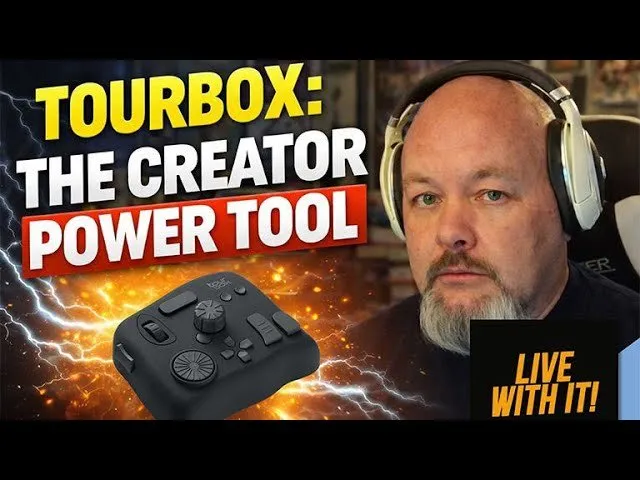
For digital content creators looking to escape the inefficiency of repetitive keyboard shortcuts, the TourBox has emerged as a robust hardware solution designed to accelerate audio and video editing workflows. During a recent hands-on analysis regarding long-term usage of the device, industry veteran Hammond Chamberlain detailed how the customizable controller significantly reduces editing time and improves ergonomics across complex software suites like Logic Pro and Adobe Premiere.
Key Takeaways
- Enhanced Efficiency: The device replaces complex keyboard combinations with programmable knobs, dials, and buttons.
- Cross-Platform Utility: Users can map identical physical gestures to functions across different software (e.g., audio and video editing), streamlining muscle memory.
- Robust Build Quality: The TourBox Neo features a weighted, durable design intended for heavy daily use.
- Software Integration: The companion TourBox Console software offers a Heads-Up Display (HUD) for easy mapping and visual feedback.
- Tiered Pricing: Options range from entry-level models at approximately $100 to professional wireless versions at $280.
Streamlining the Creative Workflow
The core appeal of the TourBox lies in its ability to centralize editing functions into a single, tactile interface. Unlike traditional keyboards, which often require two-handed combinations or extensive menu navigation, the TourBox allows creators to keep one hand on the controller and the other on a mouse or trackpad. This setup is particularly advantageous for professionals managing high-volume workloads.
Hammond Chamberlain, who utilizes the device primarily for audio engineering in Logic Pro and video editing, noted that the device replaced his previous setup involving Shuttle Contour products. The switch was driven by the need for a more reliable, substantial piece of hardware.
"I have to tell you that this is my favorite one of these I've had... It is the most robust feeling. It's got some weight to it," Chamberlain stated regarding the device's build quality. "You can have hundreds of variations of keystrokes built into this thing with just one hand doing all the work."
Software Customization and Ergonomics
The hardware is powered by the TourBox Console software, which provides deep customization options. Users can assign specific functions to the device's wheel, knob, dial, and buttons. This allows for precise control over timeline scrubbing, zooming, and parameter adjustments without looking away from the screen.
A significant advantage highlighted during the review is the ability to transfer muscle memory between different applications. For creators who switch between audio (DAWs) and video (NLEs) software, the TourBox allows them to map the same physical action—such as cutting or deleting a clip—to the same button, regardless of the software being used.
"All those motions that might have different keystrokes and different setups in a video program... are exactly the same [on the TourBox]. So I don't have to have a second set of muscle memory," Chamberlain explained.
The software also features a "Heads-Up Display" (HUD) overlay, which assists users in learning their button maps by visualizing interactions on-screen. This feature can be toggled off once the user develops familiarity with the layout.
Market Availability and Recommendations
The TourBox ecosystem currently offers three main tiers to accommodate different budget levels and connectivity needs:
- TourBox Lite / Oasis: Entry-level options priced around $79–$100, offering fewer buttons but similar core functionality.
- TourBox Neo: The mid-range standard (reviewed here), priced at approximately $180, connecting via USB-C.
- TourBox Elite: The premium version featuring Bluetooth connectivity and haptic feedback, priced around $280.
For editors hesitant to invest in the higher-tier models, the recommendation is to start with the entry-level version to test the workflow adaptation. However, for professionals like Chamberlain who rely on speed for rapid turnaround times, the efficiency gains of the Neo justify the investment.
As creative software continues to grow in complexity, hardware peripherals that simplify user interaction are becoming essential tools for maintaining productivity. The TourBox series effectively bridges the gap between software capability and human ergonomics.