Table of Contents
Tech reviewer and analyst Michael Fisher, known professionally as Mr. Mobile, recently conducted an extensive field test of the Samsung Galaxy TriFold, attempting to replace a standard laptop with the 10-inch folding smartphone during a business trip to Taiwan. The comprehensive experiment revealed that while the device’s expansive form factor offers unprecedented mobile productivity, the ecosystem of accessories and software optimization still lags behind the hardware’s capability.
Key Points
- Form Factor Advantage: The 10-inch deployed screen successfully supports triple-app multitasking, making complex workflows like travel booking and document editing viable on a mobile device.
- The "Dongle" Life: Replacing a PC requires an extensive array of peripherals, including mechanical keyboards, mice, and USB hubs to unlock the phone's full potential.
- Software Bottlenecks: Despite Samsung DeX, issues with mouse latency, app inconsistency, and peripheral integration prevent the device from being a seamless laptop replacement.
- Hidden Costs: Essential hardware, such as a kickstand, is excluded from the box, requiring expensive first-party purchases to make the device functional for desktop use.
The Mobile Workstation Experiment
In a move to test the upper limits of mobile computing, Fisher replaced his MacBook with the Galaxy TriFold for a week-long trip to visit Google’s hardware labs in Taipei. The objective was to determine if a smartphone that unfolds into a tablet could serve as a primary machine for content creation rather than just consumption.
The device’s 10-inch diagonal display proved to be a significant asset for productivity. Unlike standard foldables, the TriFold’s screen real estate allowed for a "triple pane" workflow. Fisher reported successfully juggling Google Docs, Google Keep, and messaging apps simultaneously without the cramped feeling typical of mobile multitasking. During complex tasks, such as coordinating travel logistics, the device handled a browser, calendar, and airline app concurrently, providing what Fisher described as "the smoothest experience booking a flight" he had ever encountered on mobile.
Hardware Limitations and the Peripheral Ecosystem
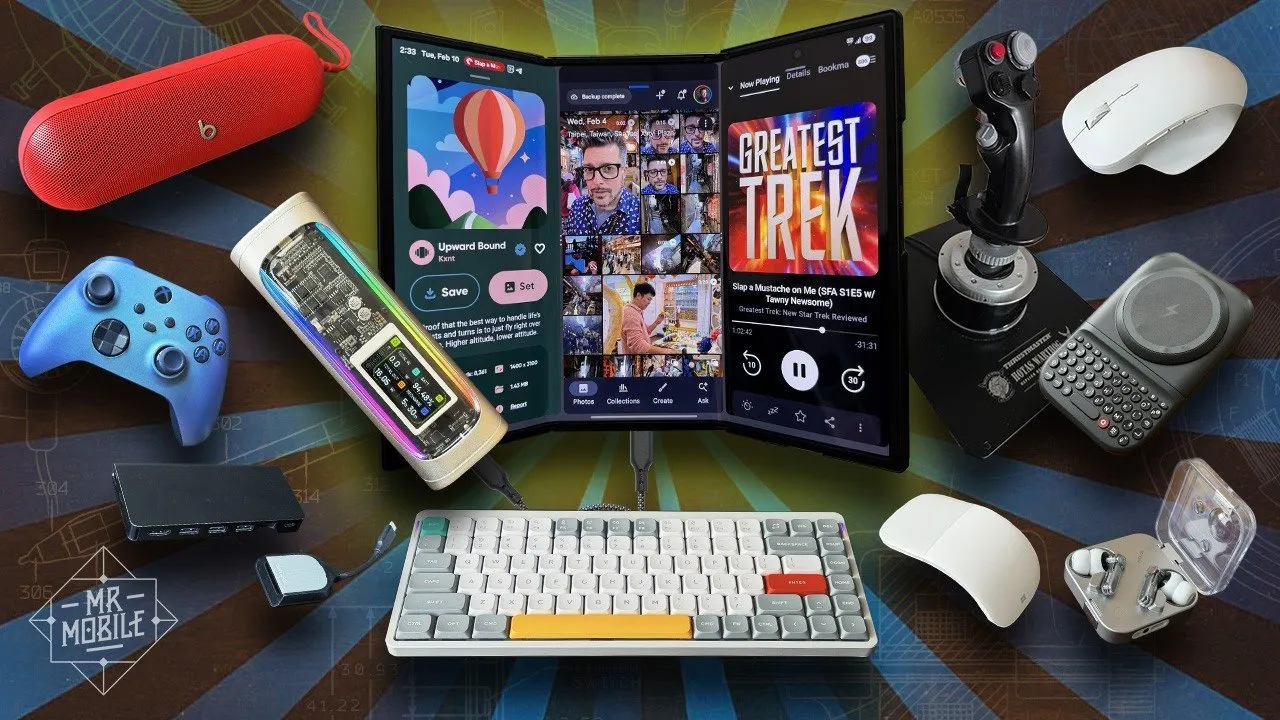
While the phone itself performed well, the experiment highlighted a critical dependency on external hardware. To convert the phone into a workstation, Fisher utilized a NuPhy Air75 mechanical keyboard, a Microsoft ergonomic mouse, and a USB-C hub. The hub allowed for HDMI output to desktop monitors and connection to specialized peripherals, including a Thrustmaster joystick for flight simulation.
However, a major point of contention was the lack of integrated support for these use cases. Fisher criticized Samsung’s decision to exclude a kickstand from the device packaging, noting that the official kickstand case costs an additional $75.
"Samsung's refusal to include this in the box with the phone is borderline offensive considering how much you're paying. Something as simple as this is what promotes a three-pocket laptop to a two-pocket one."
Furthermore, the placement of the USB-C port on the bottom of the device complicates its use as a "pocket PC." Connecting a keyboard or hub often interferes with portrait mode usage or blocks access to the power button and fingerprint sensor, forcing users into awkward ergonomic compromises.
Software Friction vs. Hardware Ambition
The transition from phone to computer was not seamless. While Samsung DeX provides a desktop-like environment, Fisher noted significant friction in input precision. Mouse usage on Android still suffers from latency and lack of precision compared to a native PC environment. Additionally, keyboard shortcuts remain inconsistent across applications; for example, the "Enter" key fails to send messages in certain apps, and arrow keys do not reliably navigate text fields in others.
The experiment also tested the device's ability to augment existing laptops via second-screen software like Duet. While technically functional, the experience was marred by lag, limiting its utility. Similarly, cloud gaming via Xbox Game Pass proved viable for slower-paced titles but suffered from too much latency for competitive multiplayer gaming.
Implications for the Future of Mobile Computing
The Galaxy TriFold represents a significant leap forward in screen real estate, yet the "laptop replacement" dream remains elusive for mainstream users. The device excels as a "writing deck" and a media consumption device—surpassing seatback screens on aircraft—but falls short of the precision required for high-end professional workflows.
"Increasingly it feels like operating at the bleeding edge of a phone's capability is just indulging in an outdated vision of a future that hasn't come to pass in this way. I simply don't need a desktop PC experience as often as I used to since so much has transitioned to mobile."
Despite these hurdles, the utility of the tri-fold design has made it difficult for Fisher to return to standard bi-fold devices. The experiment suggests that while the hardware is ready for the next generation of mobile computing, developers and manufacturers must address the inconsistent software behavior and peripheral integration to make the form factor truly viable for the mass market.