Table of Contents
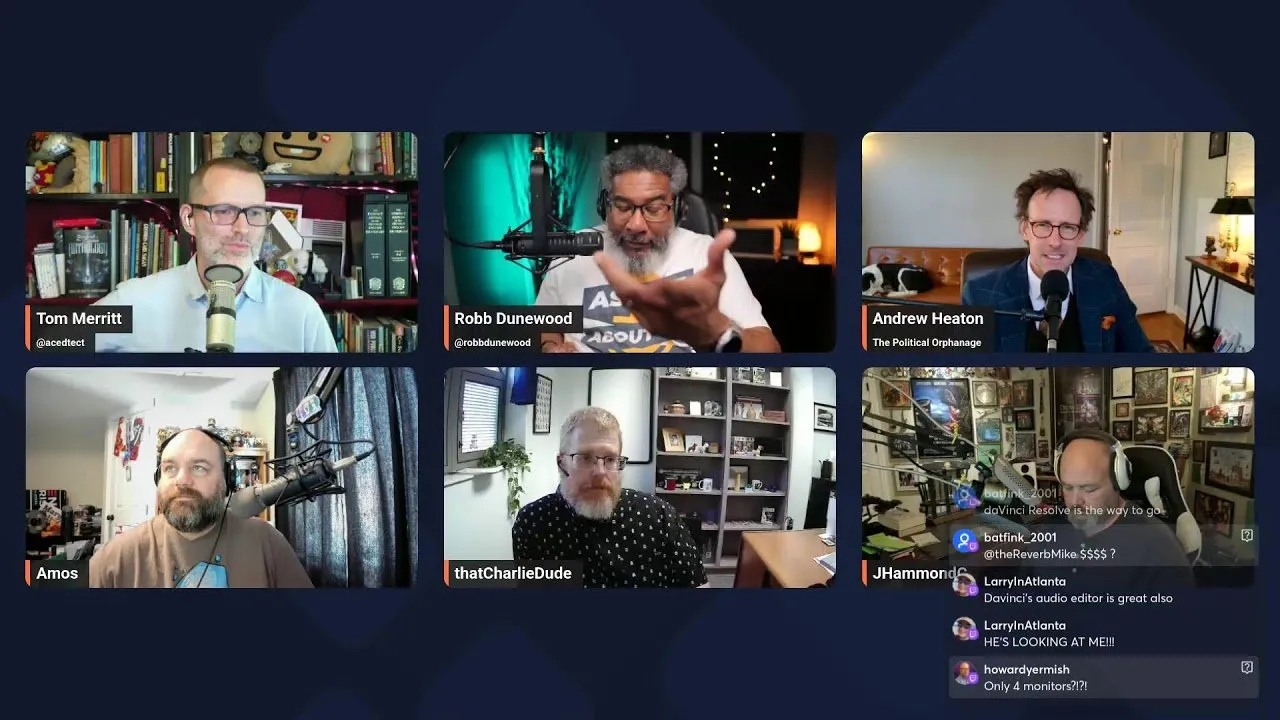
A panel of veteran podcasters and technology experts gathered on the Daily Tech News Show (DTNS) to advise an academic on professionalizing audio and video setups on a tight budget. The roundtable discussion highlighted that significant upgrades in production value often require technique adjustments and strategic lighting rather than expensive new hardware.
Key Takeaways
- Dynamic microphones are superior to condenser microphones for untreated home offices because they reject background noise effectively.
- Lighting upgrades yield a higher return on investment than purchasing new cameras, with color temperature being a critical factor for accurate skin tone representation.
- Avoid Bluetooth audio for recording; wired or dedicated wireless radio frequency connections ensure signal stability and quality.
- Integrated software solutions like Riverside offer text-based video editing, simplifying the workflow for beginners compared to complex non-linear editors.
Audio: Prioritizing Dynamic Microphones
The panel, convened by host Tom Merritt, addressed the needs of Charlie, a college professor looking to upgrade his audiovisual setup for online courses without a significant budget. The experts unanimously agreed that for home offices without professional sound treatment, the choice of microphone technology is paramount.
The consensus recommendation was to utilize dynamic microphones rather than condenser microphones. While condenser mics like the popular Blue Yeti are sensitive and capture high detail, they also capture unwanted environmental noise, such as computer fans or street traffic. Dynamic microphones, conversely, offer better noise rejection.
For budget-conscious creators, the panel recommended the Samson Q2U or the Audio-Technica ATR2100x. These "hybrid" microphones offer both USB and XLR connectivity, allowing users to plug directly into a computer now while retaining the option to upgrade to professional mixers later. For those requiring mobility in a classroom setting, experts suggested wireless systems like the DJI Mic 2 or Rode Wireless series, which record locally or transmit via dedicated frequencies.
Rich Stroffolino, a producer for the CISO Series, issued a stern warning regarding wireless connectivity standards:
"Bluetooth is the devil for podcasting. Even if the connection doesn't fade out, you can get weird audio artifacts. If you want high-fidelity audio, stay away from Bluetooth."
Video: Lighting Over Lenses
When addressing video quality, the panel advised against purchasing 4K webcams or expensive mirrorless cameras as a first step. Instead, they argued that proper lighting transforms the quality of existing budget webcams. A standard 1080p webcam can produce professional results when the subject is well-lit.
Rob Dunwood explained that placing a light source directly in front of the subject—or bouncing a light off a white ceiling or wall to diffuse it—eliminates unflattering shadows. This technique softens the image and separates the subject from the background.
Lighting for Skin Tones
The discussion highlighted the technical necessity of variable color temperature, particularly for creators with darker skin tones. Standard white lights can often leave melanated skin looking "ashy" or washed out. The panel recommended LED panels that allow for Kelvin temperature adjustments, enabling users to warm the light to match their complexion.
"If you are highly pigmented... lighting is not an option. You have to be well lit or you will not look good on camera. You need to make it warmer so that you don't look ashy on camera."
Streamlining Software and Workflow
For educators and creators new to video editing, the panel suggested avoiding complex professional software like Adobe Premiere unless necessary. Instead, they recommended modern recording platforms that integrate editing features, such as Riverside. These platforms offer "visual editing," allowing users to edit video by deleting text from a transcript, similar to a word processor.
For those requiring a standalone editor without a subscription fee, DaVinci Resolve was cited as the industry standard for free software, offering robust features that rival paid competitors. However, the experts noted that for simple lectures and feedback videos, maintaining a simple workflow is crucial to avoid burnout.
As the digital landscape for education and remote work continues to evolve, the distinction between professional broadcasters and remote professionals narrows. By focusing on dynamic audio rejection and proper lighting techniques, content creators can achieve broadcast-quality results with consumer-level gear.