Table of Contents
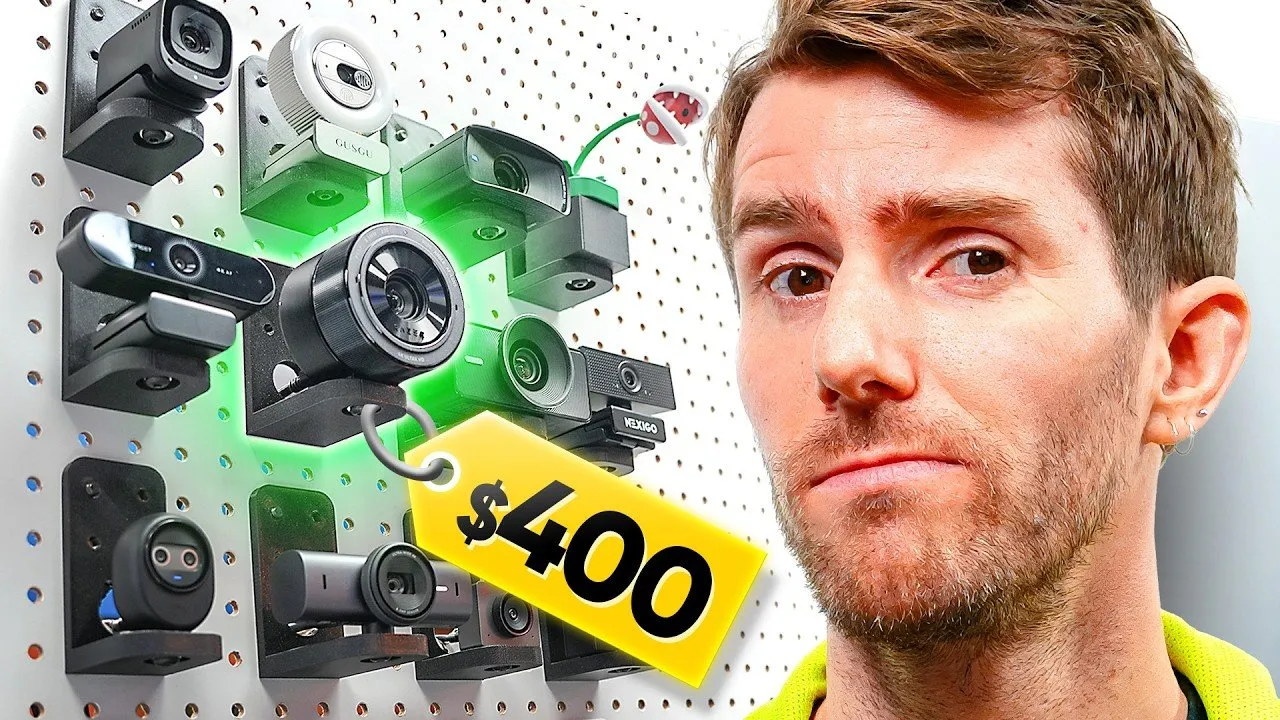
A recent comprehensive analysis has rigorously tested 16 leading webcams, ranging from budget-friendly options to high-end professional-grade devices, to provide clear guidance for consumers navigating a saturated market. The extensive review, which invested over $2,000 USD in hardware, aims to demystify technical specifications and expose misleading claims, ultimately recommending optimal choices for a variety of user needs from everyday video calls to professional content creation.
Key Points
- An independent review meticulously evaluated 16 webcams across diverse price points, from $30 to $400 USD, to identify top performers and expose deceptive products.
- The Logitech Brio 101 emerged as the top recommendation for average users seeking ease of use, natural image quality, and reliable support within the budget segment.
- Budget "4K" webcams, such as those from Disic, were found to employ deceptive upscaling techniques, offering no genuine resolution improvement and often exhibiting poor low-light performance.
- For content creators and professionals, the OBSBOT Meet and Insta360 Link 2 stood out in the mid-range and premium categories, respectively, offering advanced features like AI framing and superior image quality.
- Users of high-resolution webcams, particularly 4K models, are strongly advised to utilize USB 3 ports to ensure optimal performance and avoid bandwidth limitations.
The Webcam Market: Separating Value from Vapid
In an era where digital communication and content creation are paramount, the humble webcam has become an indispensable tool. Yet, the market is flooded with options, often making it challenging for consumers to discern genuine quality from marketing hype. A recent in-depth review sought to cut through the noise, acquiring a "sweet 16" of webcams to put them through a battery of real-world tests.
The extensive testing revealed a concerning trend among lower-priced models: the prevalence of "scam budget 4K webcams." Devices from manufacturers like Disic were specifically called out for employing deceptive upscaling, presenting a simulated 4K resolution that offered no discernible improvement over 1080p and often introduced digital noise and poor autofocus, especially in low light. This widespread issue was a primary motivator for the comprehensive evaluation.
“This was one of the major reasons that we decided to do this video in the first place because I hate it when people get scammed,” stated the review team, highlighting their commitment to consumer advocacy.
The reviewers emphasized that while nearly every webcam might appeal to someone, identifying the right fit requires understanding individual needs and product performance nuances beyond advertised specifications.
Budget-Friendly Brilliance: Top Picks Under $60
For the average person needing a dependable webcam for work or family functions without breaking the bank, two models stood out. The Logitech Brio 101 was highly recommended for its ease of use, natural-looking image, decent microphone quality, reasonable price, and reliable manufacturer support. Despite its competitive pricing, it delivered consistent performance crucial for everyday digital presence.
Another strong contender in the $20 to $60 USD range was the Nexigo N60. This model impressed with punchier colors and impressive motion performance, offering significant improvements over its direct competitors. While its 110-degree field of view introduced a slight fisheye effect, the overall image quality was notably impressive for the price, especially for users within its optimal focal range. The Anker C200 also offered impressive low-light performance and a super-wide field of view, suitable for group calls or streaming, though it tended to oversharpen and overexpose, losing fine details.
However, not all budget options fared well. The review team strongly cautioned against the Nintendo Piranha Plant webcam, despite its novelty form factor, due to its abysmal 480p resolution, deemed "totally unacceptable in 2026." They advised seeking out higher-quality, compatible third-party alternatives if the unique design was the sole draw. Similarly, any budget webcam claiming 4K HDR at an "too good to be true" price should be approached with extreme skepticism.
Mid-Range Mastery: Advanced Features for Discerning Users
Stepping into the mid-range, typically priced between $70 and $200 USD, the market shifts towards more serious, well-rounded offerings. The Elgato Facecam Mark II delivered strong performance with HDR and very low latency 60 FPS video, making it ideal for streamers. Its primary drawback was a complete lack of autofocus, requiring users to rely on Elgato's software for professional image control.
However, the OBSBOT Meet emerged as a favorite in this category. As the official webcam of the eSports World Cup, it boasts genuine 4K resolution, advanced AI framing and autofocus, and HDR capabilities. Its 50-megapixel sensor allows for oversampling, resulting in a noticeably sharper image right out of the box. While slightly slower than the lightning-fast Elgato Mark II, its overall quality and features garnered significant praise.
The review also highlighted the E-Meet Nova IS 4K AF and the E-Meet Pico. Both offered impressively quick autofocus, a beneficial feature for users who frequently adjust their distance from the camera or present physical items. While the Nova IS 4K AF required some initial tweaking for white balance and exposure, the E-Meet Pico was noted for needing less adjustment and benefiting from the more feature-rich E-Meet Studio app for granular image control. Regarding audio in this price bracket, the OBSBOT Meet was preferred, though the reviewers acknowledged that many users investing in mid-range webcams likely already possess a separate, higher-quality microphone.
A compelling wild card in this segment was the E-Meet Pixie. Priced competitively due to extended promotions (found at $100 USD), it features a full PTZ (Pan-Tilt-Zoom) gimbal, offering automatic tracking and the ability to follow a presenter beyond its fixed field of view—a significant advantage for educators or conference presenters who move around during their sessions.
Premium Performance: The Best of High-End Webcams
In the premium segment, typically above $200 USD, webcams cater to users demanding the absolute best in image quality, advanced features, and seamless integration. The Logitech MX Brio, a high-end counterpart to the budget Brio 101, provided exceptional ease of use and a great out-of-the-box image. However, it was noted for lacking some "nice-to-have" features found in other premium models, especially with intense colors where it sometimes struggled.
The OBSBOT Tiny2 Lite offered reasonably similar image quality to the MX Brio but enhanced the user experience with an integrated gimbal, providing automatic tracking and motion controls for zoom. This allowed for greater flexibility and dynamic presentation capabilities.
However, the Insta360 Link 2 was hailed as the overall favorite in the premium category. Despite Insta360's primary focus on 360-degree cameras, their foray into webcams proved highly successful. The Link 2 demonstrated unparalleled handling of varied skin tones and exceptionally responsive person tracking. Its software offered quick switching between different framing modes, a standout feature for streamers and educators.
The Elgato Facecam 4K, as its name suggests, delivered stunning 4K resolution at 60 frames per second. This made it an excellent choice for streamers who require high-quality, smooth full-screen face cam footage without investing in a complex camera-plus-capture-card setup. While it supported lens filters, its low-light performance fell short of expectations, and it notably lacked onboard audio.
The most intriguing wild card in this segment was the Razer Kiyo Pro Ultra. This webcam, requiring a USB 3 port for optimal performance, delivered "undeniably superior image quality," particularly in its pleasing depth of field and in challenging low-light situations. It achieves this through a massive one-inch sensor packed into its housing, a feature typically found in high-end dedicated cameras. Despite its visual prowess, the Kiyo Pro Ultra suffered from a perceived "cheap" build quality and a lack of additional features like gimbals or ring lights, especially considering its high price point.
“It costs double an already expensive webcam like the Insta360 Link 2 and only sometimes looks twice as good,” the reviewers observed, highlighting the diminishing returns at the extreme high end.
Optimizing Your Setup: Technical Considerations
Beyond the choice of webcam, the review offered crucial technical advice for optimal performance. It was strongly emphasized that 4K webcams may only achieve their best performance when connected to a USB 3 port, due to the higher bandwidth requirements of uncompressed or minimally compressed high-resolution video streams. Users experiencing stuttering or lower-than-expected quality with 4K models should verify their USB connection.
Furthermore, those planning to use multiple webcams simultaneously may encounter system challenges. Driving several high-bandwidth cameras on a single system can overwhelm standard USB controllers. In such cases, the reviewers recommended considering an add-in card that provides an additional USB controller chip to ensure all devices function optimally without interference or performance degradation.
The comprehensive review underscores the importance of informed decision-making in the webcam market. While budget options like the Logitech Brio 101 and Nexigo N60 provide excellent value for everyday use, content creators and professionals can leverage advanced features from models like the OBSBOT Meet or the dynamic Insta360 Link 2. Consumers should remain vigilant against misleading "4K" claims from lesser-known brands and consider their specific use case—be it static calls or dynamic presentations—to choose a webcam that truly meets their needs without unnecessary expense or performance compromises. As technology continues to evolve, ongoing vigilance and thorough testing remain vital to navigating the ever-expanding landscape of digital peripherals.