
Table of Contents
In a world increasingly tethered to the internet, understanding cybersecurity is no longer just for tech experts—it's an essential life skill for everyone. Today, we delve into actionable insights from award-winning cybersecurity expert Caitlyn Sarian, recognized globally for making complex digital protection easy to understand. Sarian emphasizes that it's not a matter of if you'll encounter online threats, but when. From basic password hygiene to safeguarding your digital footprint, these strategies can empower you to navigate the online world with confidence, starting tonight.
Key Takeaways
- Cybercrime is a massive, growing economy: It's the third-largest economy globally, making everyone a potential target, not just high-profile individuals.
- Your digital footprint is everything you do online: From apps to websites, every action contributes to a profile that can be used against you.
- Implement five core protection steps: Strong, unique passwords, automatic software updates, credit freezing, a 9-second pause before clicking links, and aggressively limiting online data.
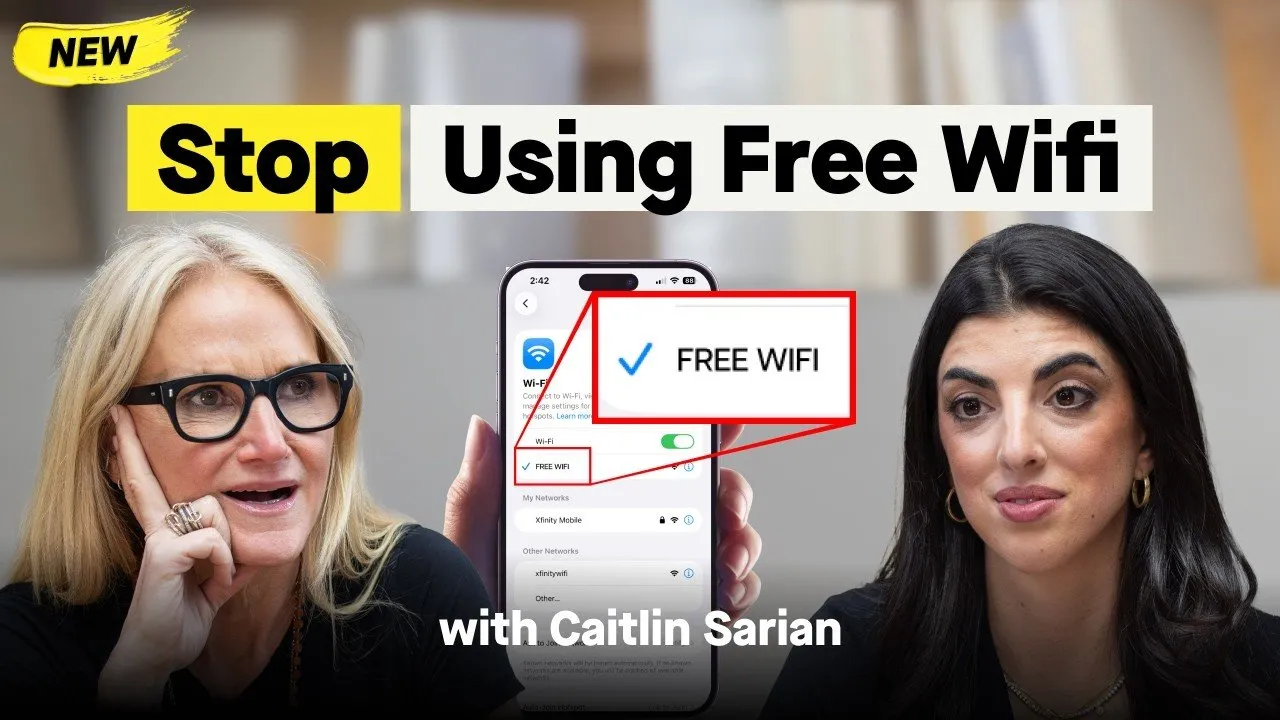
- Free Wi-Fi is rarely "free": Unencrypted public networks can expose your sensitive information to malicious actors.
- Protect your loved ones: Educate seniors about specific scams and children about online predators, and consider family safe words for voice cloning threats.
The Invisible Threat: Why Cybersecurity is Everyone's Business
The digital age has brought unprecedented convenience, but with it, a shadow economy that thrives on exploitation. Caitlyn Sarian challenges the notion that cybersecurity is a niche concern, asserting its universal relevance.
Cybercrime: The World's Third Largest Economy
Many underestimate the scale of cybercrime, dismissing it as something that happens to "other people." Sarian reveals a startling truth:
“Cyber scams are massive right now. And actually, that economy is the third largest economy in the world.”
This staggering statistic means that cybercrime generates more revenue than the economies of many developed nations combined. This isn't just about financial loss; it's about identity theft, emotional distress, and the erosion of trust in digital interactions. The shame associated with falling victim often silences individuals, preventing broader awareness and collective defense.
Understanding Your Digital Footprint
Every interaction online, no matter how small, contributes to your digital footprint—a comprehensive profile of your activities, preferences, and personal information. Apps, games, websites, and online accounts all continuously build this ever-expanding data set. Sarian explains that even seemingly private browsing methods, like "incognito mode," are often misunderstood.
While incognito mode prevents your browser from saving cookies and history locally, the websites you visit can still track your activity. Your data is being collected and often sold, creating detailed profiles that make you a target for tailored scams and advertising. This constant data collection underscores the critical need for vigilance and proactive management of your online presence.
The AI Effect: Scams Getting Smarter
With advancements in Artificial Intelligence, the sophistication of scams has reached new heights. AI can quickly scrape vast amounts of publicly available information—from social media posts and wedding registries to news articles and blogs—to construct incredibly detailed profiles of individuals.
This open-source intelligence (OSINT) allows scammers to craft highly personalized and convincing attacks. Sarian recounts how a company could identify a person's dog's name from a wedding registry in seconds, illustrating the depth of information AI can uncover. This makes traditional security questions, like your mother's maiden name or high school, dangerously easy for scammers to answer, highlighting the need for more robust, less predictable security measures.
Five Non-Negotiable Steps to Immediate Online Protection
Feeling overwhelmed by the sheer volume of online threats is common, but Sarian distills effective protection into five actionable steps that anyone can implement.
1. Fortify Your Passwords and Enable MFA
Weak and reused passwords remain the Achilles' heel of online security. Shockingly, "password" and "12345" are still among the most common passwords. Sarian emphasizes that reusing a "base password" (e.g., "letthemtheory1," "letthemtheory!") allows hackers to use algorithms to quickly crack variations across multiple accounts.
The solution: Create unique, strong passwords for all key accounts. For ease of management, Sarian recommends using reputable password managers like LastPass, 1Password, or Keeper Security, or even leveraging the built-in managers in modern phones with biometric locks. Additionally, always enable multifactor authentication (MFA) or two-factor authentication (2FA). This adds an extra layer of security, requiring a second verification method (like a code sent to your phone or an authenticator app) in addition to your password, making it significantly harder for unauthorized users to gain access.
2. Automate Software Updates
Many view software updates as mere improvements or bug fixes, but Sarian reveals their critical role in cybersecurity. She clarifies:
“When they say fix bugs, they mean holes that hackers have.”
Software vulnerabilities are pathways hackers exploit to gain unauthorized access. Updates are often patches designed to close these "holes" once they're discovered. By enabling automatic software updates on all devices and applications, you ensure you're always running the most secure version, proactively defending against newly identified threats.
3. Freeze Your Credit
Data breaches are increasingly common, exposing personal information including Social Security numbers. While alarming, this doesn't automatically mean identity theft. The key preventative measure is to freeze your credit.
Freezing your credit prevents anyone, including identity thieves, from opening new credit accounts in your name. This process is simple, typically taking 5-10 minutes with each of the three major credit bureaus (Experian, Equifax, TransUnion), and does not negatively impact your credit score. When you need to apply for a loan or credit, you can temporarily unfreeze it. This is a crucial, "one-and-done" step to protect against financial identity theft.
4. The 9-Second Rule: Before You Click
Phishing and scam links are more sophisticated than ever, often appearing to come from trusted sources. The impulse to click is strong, but Sarian suggests a simple, yet powerful psychological tactic: the 9-second rule.
Before clicking on any link in an email or message, take a deep breath and pause for 9 seconds. This short delay provides enough time to critically assess the sender's email address, hover over the link to reveal the true URL (without clicking!), and question its legitimacy. If something feels off, don't click. Instead, navigate directly to the official website or call the organization using a verified phone number.
5. Aggressively Limit Your Online Data
Minimizing your digital footprint is paramount to reducing your attack surface. This involves two main approaches: manual cleanup and using deletion services.
Manually, you can visit data broker websites (like WhitePages, TruePeopleSearch, PeopleFinder) and meticulously follow their opt-out procedures to remove your personal information. This can be time-consuming, but effective. For a more streamlined approach, Sarian recommends services like Incogn, which automatically scans for and requests the removal of your personal data from various platforms. By actively reducing the amount of personal information available online, you make it significantly harder for scammers to build profiles and exploit your identity.
Navigating Everyday Digital Risks
Beyond the core five steps, Sarian offers practical advice for common online scenarios and everyday digital habits.
The Perils of Free Wi-Fi and Unencrypted Networks
The allure of "free Wi-Fi" at airports, cafes, or on airplanes is strong, but Sarian issues a stern warning:
“If there's any free product or app, you are the product.”
This means your data is being used and potentially sold. Public Wi-Fi networks are often unencrypted, creating an "open tunnel" where sophisticated individuals can intercept your data—including sensitive information like banking details. To protect yourself, always look for "HTTPS" (the 'S' stands for secure) in website URLs, especially when entering personal data. For essential tasks like banking, use your phone's cellular data or invest in a Virtual Private Network (VPN) to create a secure, private connection, even on public Wi-Fi.
Smart Social Media and Identity Management
Social media can be a goldmine for scammers. Sarian advises against posting vacation photos while you're still away, as this signals an empty home to potential burglars and provides social engineers with information to impersonate you to hotels or family members. Instead, post photos a week or two after your return, and tag only the city, not the exact location.
She also advocates for creating an "alternate persona" for online sign-ups that don't involve physical shipping. Use a different name, date of birth, a Google Voice number, and a dedicated email address for newsletters. This limits the real data available about you, making it harder for scammers to piece together your identity for targeted attacks.
Device Safety: From Chargers to Logins
Even seemingly innocuous actions like charging your phone can pose a risk. Sarian warns against using public USB charging ports due to a threat known as "juice jacking." These manipulated ports can not only charge your device but also transmit or receive data, potentially installing malware. Always opt for a wall outlet charger when available.
Furthermore, avoid saving logins directly in your browser or an unsecured notes app. While browser-saved passwords are generally safer as they're stored locally, an unlocked notes app linked to a cloud service (like iCloud) can be a treasure trove for hackers if your cloud account is compromised. Sarian recommends using a password manager or locking your notes app with a separate password or biometric authentication.
Rethinking Security Questions
Traditional security questions, like "What is your mother's maiden name?" or "What was your high school?" are increasingly vulnerable due to the vast amount of personal information available through open-source intelligence (OSINT). Scammers can easily find these answers with minimal research.
Instead of truthful answers, Sarian suggests creating a consistent "alternate persona" with fabricated answers to security questions. Treat them as another layer of a password, making them unique and not easily traceable to your real life, even if you have to write them down securely.
Safeguarding Your Family and Future
Cybersecurity extends beyond individual protection; it's a family affair. Seniors and children are often particularly vulnerable targets.
Protecting Seniors from Sophisticated Scams
Elderly individuals are frequently targeted by elaborate scams, from fake law enforcement calls demanding crypto payments to grandchildren-in-distress scenarios. These scammers are adept at exploiting emotions and creating urgency.
To protect seniors:
- Freeze their credit: This is a simple, effective step to prevent identity theft.
- Educate them on current scam tactics: Regularly discuss recent scams, emphasizing that legitimate authorities will never demand money via crypto or gift cards.
- Establish clear communication protocols: Advise them to hang up immediately if they receive a suspicious call and to call a trusted family member or a fraud helpline (like IC3.gov) using a number they look up themselves, not one provided by the scammer.
- Set up MFA on their critical accounts: For banking, retirement, and other sensitive accounts, help them enable MFA, ideally routing verification codes to a trusted caretaker's phone for oversight.
Children's Online Safety: A Parent's Guide
Children are introduced to digital devices at increasingly younger ages, often without proper guidance on online safety. Sarian stresses the importance of proactive measures and open communication.
- Utilize child accounts and settings: Platforms like Instagram and YouTube offer child-specific accounts or privacy settings. Block direct messages from strangers.
- Promote open communication: Create a safe space where children feel comfortable discussing anything unusual or uncomfortable they encounter online without fear of punishment.
- Lock down privacy: Ensure all social media accounts are set to private. Children should only add friends they know and have met in person.
- Be wary of "disappearing" messages: Apps like Snapchat can create a false sense of security; nothing truly disappears on the internet, and screenshots are easily taken.
- Understand extortion scams: Teenagers, particularly boys, are increasingly targets of online extortion, where explicit photos are used for blackmail. Report such incidents immediately to the police or the Internet Crimes Complaint Center (IC3.gov).
The Power of a Family Safe Word
Voice cloning technology poses a terrifying new threat, where AI can synthesize a loved one's voice from public audio (social media, podcasts) to execute emergency scams. To combat this, Sarian recommends establishing a "safe word" for your family.
This secret word, chosen by the family, should be requested in any suspicious or urgent communication that sounds like a family member. If the caller cannot provide the safe word, it's a clear red flag. This simple tool can prevent significant financial and emotional distress.
What to Do When You've Been Hacked
Knowing the signs of a hack and what to do is critical. For most online accounts (email, social media, phone), you can check login history to see who has accessed your account and from where. Regularly reviewing these logs can flag suspicious activity.
For banking scams, Sarian advises extreme caution. If you receive a suspicious text or call claiming to be from your bank, never click links or respond directly. Instead, call your bank using the official number found on the back of your card or their verified website. Additionally, Sarian recommends avoiding answering calls from unknown numbers and removing your name from your voicemail greeting. Scammers can use your voice to authenticate into accounts, making these simple steps vital for prevention.
Understanding Wearable Tech and Biometrics
Wearable technology (smart rings, watches) and biometric data (facial recognition, fingerprints) offer convenience but come with significant privacy trade-offs. These devices collect vast amounts of highly personal data—from sleep patterns and fertility cycles to stress levels—which, when fed into AI, can create incredibly detailed profiles. Sarian views this as a risk-based decision:
To assess the risk, Sarian suggests using AI tools like ChatGPT or Gemini to analyze a company's privacy policy. Paste the legal text and ask for a summary of what data is collected, why, and who it's shared with. Look for flags related to biometric data, health history, or sharing with unexpected third parties. While some biometric scanning (like airport security) is unavoidable, for other areas, you can choose to opt out or limit data sharing in app settings.
The Simple Solution: Camera Covers
Many digital cameras, from laptops to baby monitors and doorbell cameras, can be vulnerable to hacking, especially if they are on open networks or use reused passwords. Sarian shares alarming stories of people being spied on through their own devices. A simple, low-cost solution is a camera cover for your laptop webcam. For other cameras, ensure they are on secure, encrypted Wi-Fi networks and have strong, unique passwords. This physical barrier provides peace of mind against potential surveillance.
Conclusion
The landscape of online security can feel daunting, but Caitlyn Sarian's message is one of empowerment, not fear. By implementing these practical, easy-to-understand routines, you can significantly enhance your digital protection. From fortifying your passwords and automating software updates to freezing your credit and practicing a 9-second pause before clicking, these steps are your personal cybersecurity toolkit. Beyond individual actions, protecting your loved ones—seniors from sophisticated scams, and children from online dangers—requires vigilance and open communication. Remember, cybersecurity is not an abstract concept for experts; it's a daily hygiene practice for everyone. Embrace these habits, share this knowledge, and take control of your digital life tonight.




)